Apple Specialist
Apple Repairing
Tuesday, March 19, 2013
Macbook pro i5 hinge tingten
Wednesday, March 6, 2013
Watch Netflix, MTV, CBS, Hulu & more outside the U.S.
Get started
In order to use Tunlr you have to change the DNS address of your computer or mobile/multimedia device. Please make sure you read the
FAQ about the limitations of our DNS resolver
. You might also have a look at the
list of services and players which are supported by Tunlr
. If you want to use Netflix with your existing Netflix membership plan, you have to apply for a whitelist slot on
Gatekeeper
.
We compiled a few guides for some of some of the most popular devices:
Get started with a Mac
Get started with Linux
Get started with Windows 7
Get started with Apple TV
Get started with iPhone or iPad
Get started with Android
Get started with Playstation 3
If you already know how to change the DNS address, please see the Tunlr DNS IP address below. Make sure to restart the computer or mobile/multimedia device after changing the DNS address.
The primary (preferred) DNS IP address is:
142.54.177.158
The secondary (alternate) DNS IP address is:
198.147.22.212
Visit the
Tunlr status check
page to see if Tunlr is activated.
Tuesday, January 29, 2013
Mac mini hdd upgrade
Hdd 500gb black
Macbook pro battery blazing
Macbook pro
Thursday, December 27, 2012
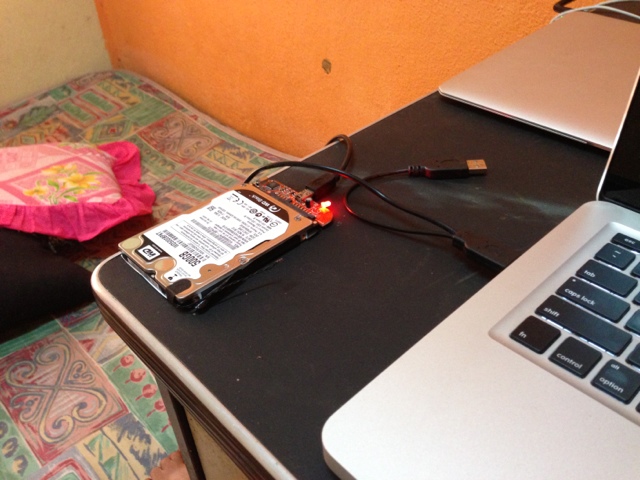
Macbook replace Hdd
Western Digital 500gb black very fast
Friday, November 2, 2012
iPhone Repairing
iPad Repairing
Newer Posts
Older Posts
Home
Subscribe to:
Posts (Atom)
Blog Archive
▼
2014
(1)
▼
July
(1)
Repairing
►
2013
(6)
►
June
(2)
►
March
(2)
►
January
(2)
►
2012
(13)
►
December
(1)
►
November
(2)
►
September
(8)
►
April
(1)
►
March
(1)
►
2011
(31)
►
December
(1)
►
September
(1)
►
August
(1)
►
July
(5)
►
June
(8)
►
May
(5)
►
April
(1)
►
March
(9)
►
2010
(24)
►
November
(3)
►
October
(6)
►
September
(5)
►
August
(10)