Monday, October 11, 2010

Soundhound

Soalan: 
Kadangkala kita mendengar sesebuah lagu semasa didalam kereta atau dirumah sambil menonton TV atau mendengar radio, kita bertanya "Siapakah penyanyi tersebut?", "Apa tajuk lagu itu?", "Alangkah baik kalau kita dapat menyanyi bersama nya, tapi dimana hendak mencari liriknya"?

Jawapan:


  • Aplikasi iPhone "SoundHound" adalah jawapan nya.
  • Apabile kita mendengar sesebuah lagu, kita boleh "launch" aplikasi tersebut dan ia akan cuba "mendengar" lagu itu.

  • Apabila di "Tap", ia akan akses kepada database di Internet dan cuba mencari Lagu tersebut.


  • Sekiranya Database nya mempunyai maklumat mengenai lagu tersebut maka ia akan paparkan maklumat itu.
  • Kesemua maklumat seperti "Artis", "Tajuk Lagu", "Lirik", "Youtube" boleh diketahui.
  • Apabila sesuatu Lirik itu tidak dapat diketahui maka, ia akan menyambungkan ke "Google Search".


  • Maklumat yang diperolehi boleh dikongsi dengan pelbagai cara seperti Emel, Facebook, Twitter dan SMS.


  • Sekiranya kita berminat untuk muat-turun lagu tersebut ke iPhone, SoundHound turut memberi feature untuk membeli terus dari iTunes Store.






My MyWi is Back!

  • Thanks to Limera1n for the Jailbreak, I am now able to get my MyWi working again for my iPhone 4 iOS 4.1
  • Since Cydia have acquired Rock, all my purchase at Rock have been transferred to Cydia. 
  • Thus, I need to associate my Rock Account with Cydia Store to transfer the purchased MyWi to my iPhone.

- Posted using BlogPress from my iPhone

How-To: Save SHSH Blobs of iOS 4.1 on iPhone, iPod touch and iPad


So, to be able to jailbreak in the future using the same tools (i.e. on iOS 4.2 and newer), you have to save your SHSH blobs. You can follow those 3 steps to save your SHSH blobs of any iOS device.
Step 1: Download the latest version of TinyUmbrella (WindowsMacLinux), and make sure you're running iTunes 10 on your PC or Mac.Step 2: Launch TinyUmbrella and connect your iOS device to your PC / Mac. Now select ‘Advanced Option’. Your ECID number should already be there, and make sure ‘Location’ is set to ‘Cydia’Step 3: Now just click on ‘Save My SHSH’ and wait a few seconds
Well done, now you got your SHSH blobs saved.


[Source: Save SHSH Blobs of iOS 4.1 on iPhone, iPod touch and iPad]


NOTE: If you have problem in getting out from your "Recovery Mode", you can use Tiny Umbrella and select the "Kick Device Out of Recovery"

GreenPois0n Will Be Delayed - Thanks to Limera1n !!


  1. This is what happens when Chronic Dev Team take their time to launch the long awaited GreenPois0n.
  2. Geohot quickly beat the Dev Team with his Limera1n Jailbreak tool.
  3. It seems that MuscleNerd and comex will delay GreenPois0n while implementing the Limera1n exploit.
  4. With this new annoucement, most probably a lot of GreenPois0n fans will take the plunge and use Limera1n.

Getting Ready for Green Funday Sunday (or Monday for Malaysians)

Here's what you need to get yourself ready for the GreenPois0n this coming 10.10.10 @ 10.10 am GMT


Getting Ready for Green Funday Sunday
1) Backup your SHSH via Cydia or Tinyumbrella
Link for Tinyumbrella here: 
http://thefirmwareumbrella.blogspot.com/


2) Download the latest firmware from Apple
You will need this as it is advised to do a fresh restore before jailbreaking and in case there is a need for custom firmware.

Direct link from Apple
http://appldnld.apple.com/iPhone4/06...7_Restore.ipsw
Alternate link if Apple servers are slow
http://dl.dropbox.com/u/10845819/Jai...7_Restore.ipsw


3) Backup your iPhone
Connect to iTunes and press sync


4) Bookmark the jailbreak website
http://greenpois0n.com
Be wary if you get your jailbreak anywhere else! Could contain viruses if you download from unofficial sources.


5) Bookmark some websites for help and support - Try to read up before asking questions that will embarrass and backfire on youChronic Dev team's blog
iPhone Dev team's blog
Modmyi


6) Check these twitter accounts for help and updates - These are the people working on Greenpois0n

http://twitter.com/chronicdevteam
http://twitter.com/iphone_dev
http://twitter.com/cdevwill
http://twitter.com/p0sixninja
http://twitter.com/musclenerd
http://twitter.com/comex
http://twitter.com/chpwn
http://twitter.com/pod2g
http://twitter.com/copumpkin
http://twitter.com/iopk
http://twitter.com/notcom
http://twitter.com/saurik


7) Upgrade and restore to iOS 4.1 using the firmware files above
8) Jailbreak and have fun

How To: Limera1n Your iPhone 4 iOS 4.1 [Video]

Here's a youtube video posted today.

Limera1n - A Word of Caution

Here's some words of caution from Dev Team which was posted today:
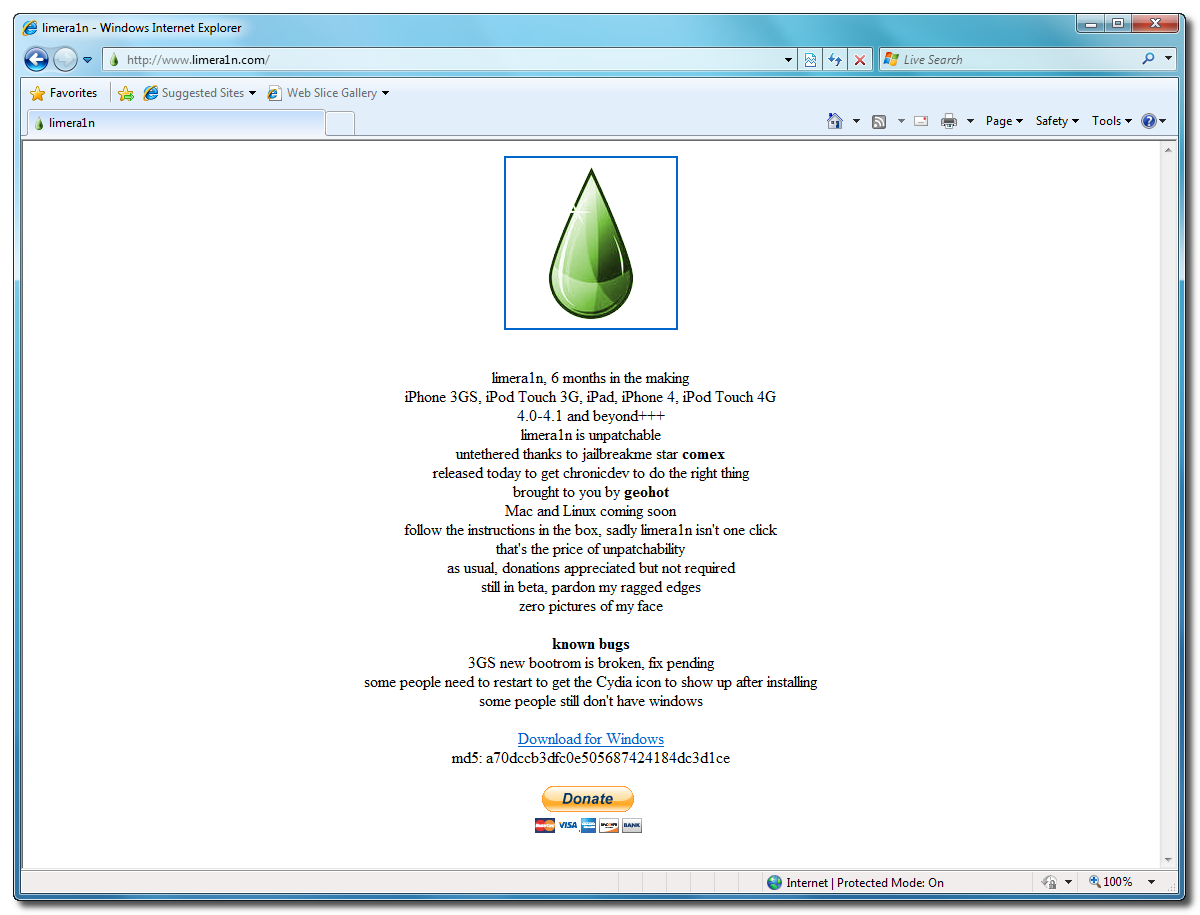
After a few very dramatic days in the jailbreak community, geohot has come out of nowhere to release limera1n.  It’s a bootrom-level jailbreak that works on the iPhone3GS, iPhone4, iPod touch 3G, iPod touch 4G, the iPad, and (technically) the AppleTV 2G.
DO NOT USE LIMERA1N IF YOU USE THE ULTRASN0W CARRIER UNLOCK — wait for PwnageTool to incorporate the limera1n exploit.  This is so that you can avoid updating your baseband and losing the unlock (possibly forever).
Limera1n uses a different exploit than SHAtter, and in fact covers more devices.  Although some may question geohot’s dramatic and competitive style, he obviously does have considerable skill pulling this together in just over a day (although he’s had the underlying exploit for months).  Credit also goes to @comex, who provides the untethered aspect of limera1n via another one of his growing list of kernel hacks.
The release of limera1n has (hopefully!) averted the burning of 2 bootrom holes at once (both his and SHAtter).  Releasing SHAtter now would be a complete waste of a perfectly good bootrom hole in light of limera1n, and so it can be held until Apple closes limera1n’s hole.  While there’s no guarantee that Apple won’t also close SHAtter by then, it provides a ray of hope for devices after Apple’s bootrom respin.  Meanwhile, look for alternate implementations of the limera1n exploit in greenpois0n and possibly other tools too.
Limera1n does have some issues, and geohot typically works these out in subsequent (and rapid) releases.

How To: Jailbreak iPad iOS 3.2.2 Using Limera1n [Windows]

Limera1n supports the following:
  • iPhone 3GS, 
  • iPod Touch 3G, 
  • iPad
  • iPhone 4, 
  • iPod Touch 4G 
  • For all iOS 4.0-4.1 and beyond+++
ACKNOWLEDGEMENT SOURCE: iClarified
Step One
Open your web browser of choice and navigate to http://www.limera1n.com. Click the Download for Windows link at the bottom of the screen.


Step Two
When prompted save the download to your desktop


Step Three
Double click the limera1n.exe file from the desktop to launch the application


Step Four
Click the large make it ra1n button


Step Five
You iPad will now be placed in recovery mode. 


Press both the power and the home buttons.


When Limera1n asks you to, release the power button.


Your phone will now be in DFU mode


As limera1n performs its exploit you will see the image of a lime raindrop on your iPad. 


Limera1n will let you know when it is complete.


Step Six
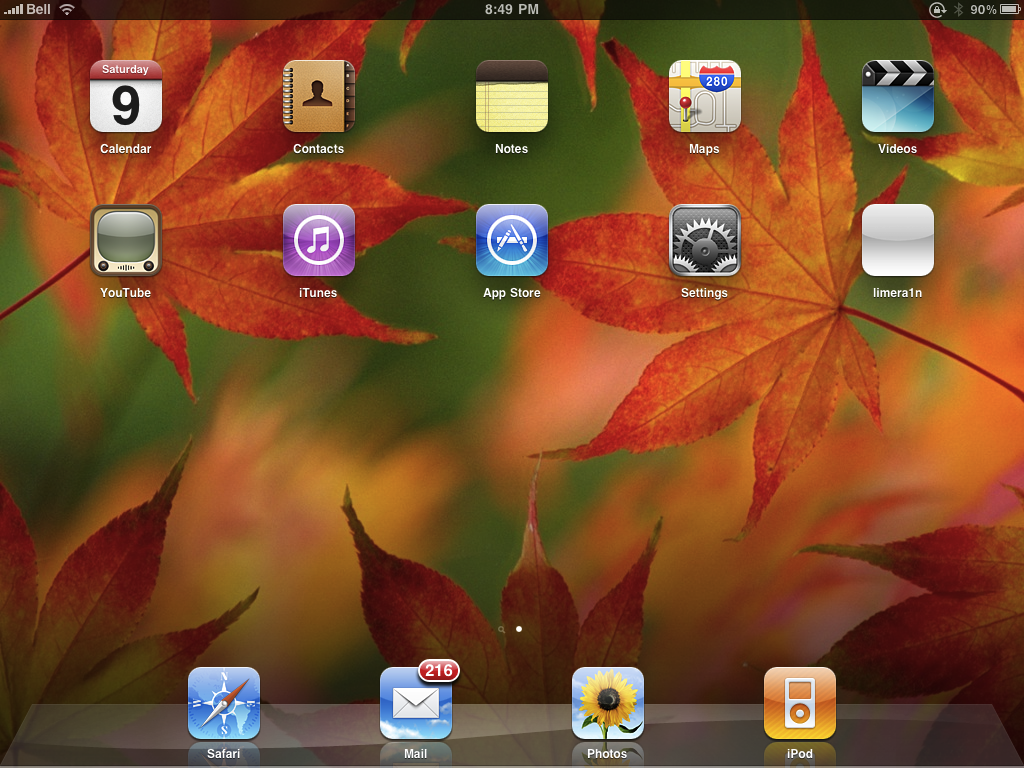
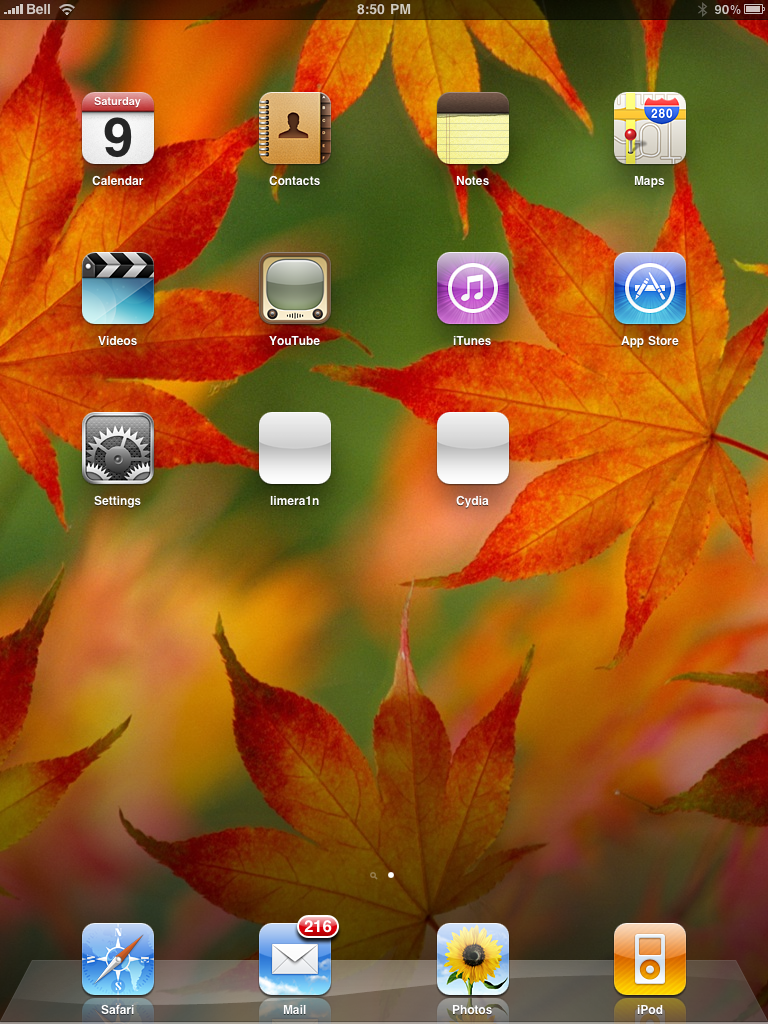
After you power back on your iPad you will see a new icon on the SpringBoard entitled limera1n. Press it to continue.


Step Seven
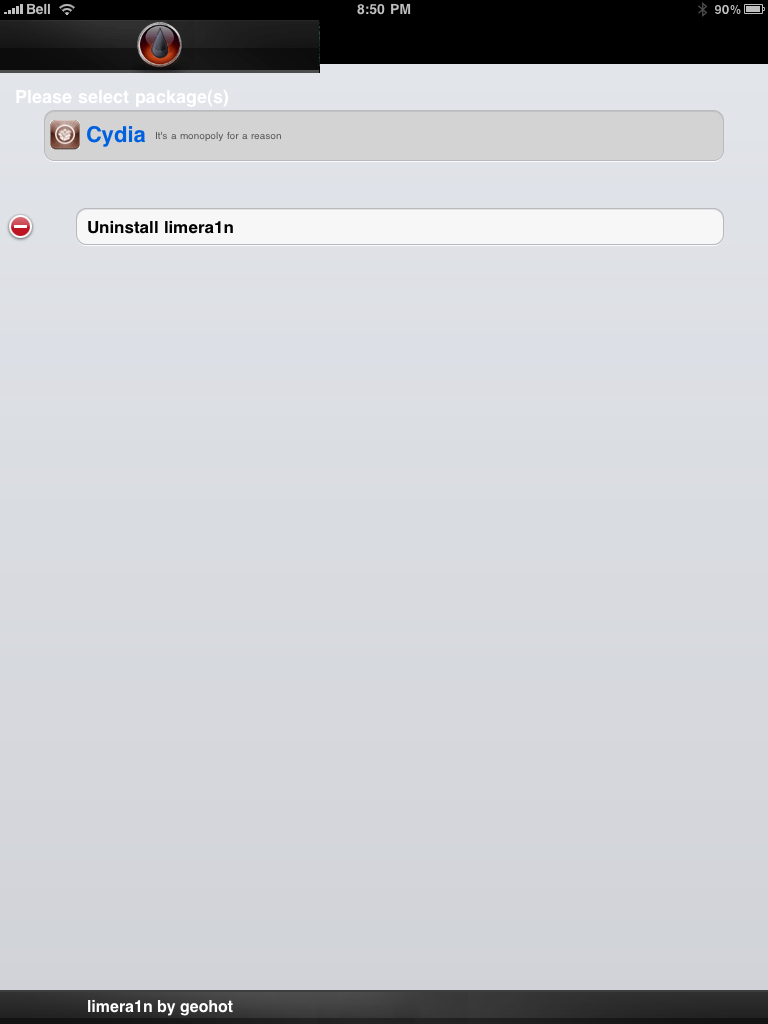
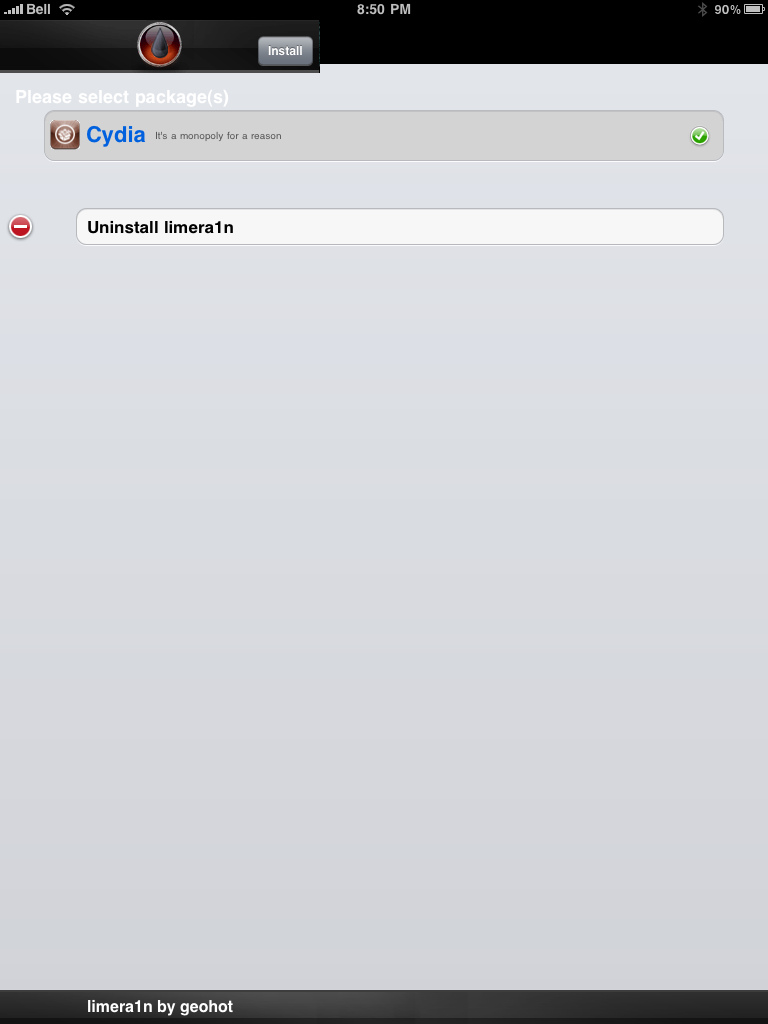
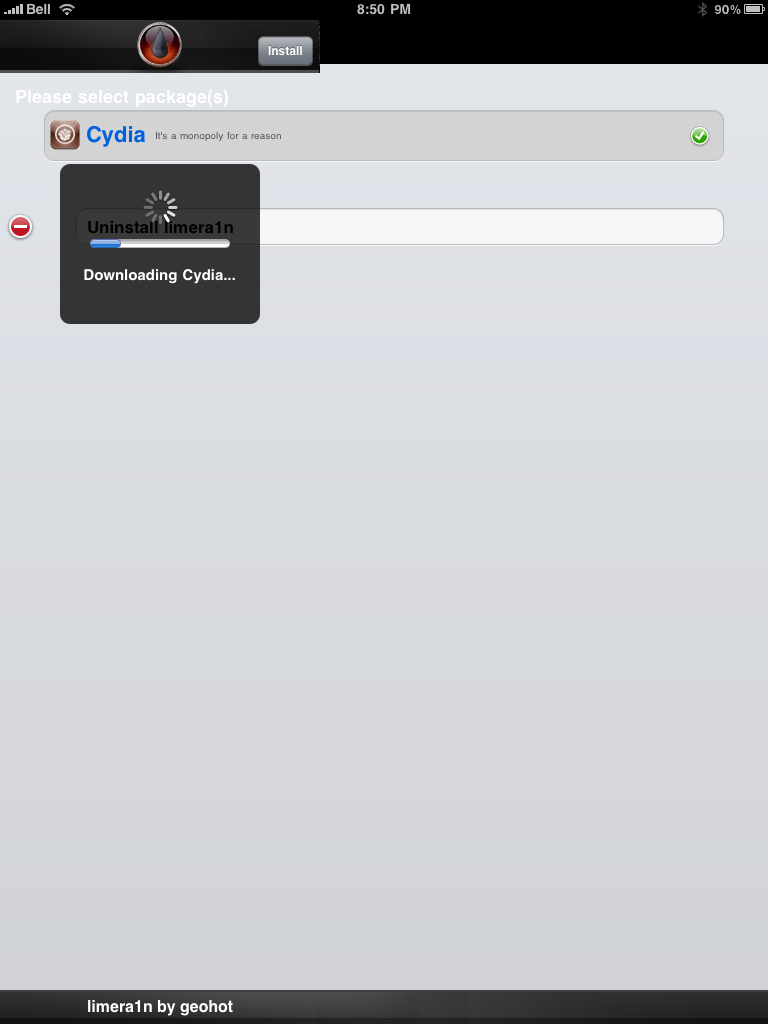
Once Limera1n opens select Cydia then press the Install button at the top right of the screen.


Step Eight
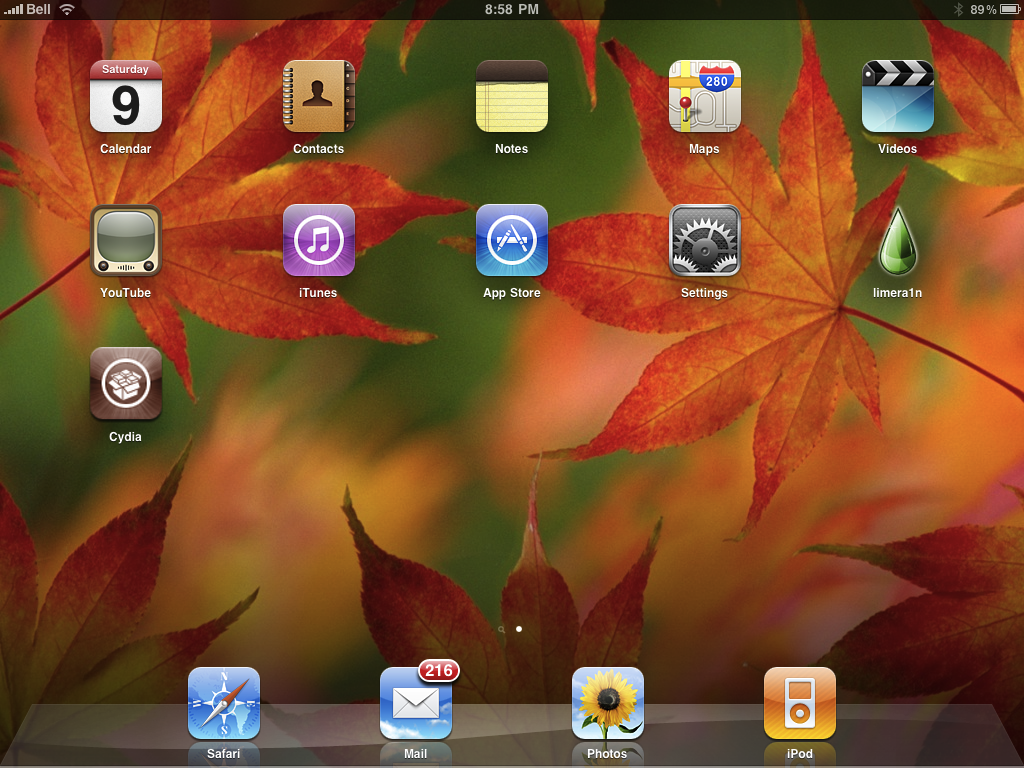
Once the Cydia installation has completed you must reboot your iPad.


Step Nine
When your iPad has restarted you can run Cydia. Let it do all the necessary updates.


NOTE*: To remove the limera1n icon from your desktop you can install CyDelete from Cydia then use it to delete the application. Eventually this capability should be present in limera1n itself.

***A big thanks goes everyone who made this jailbreak possible